


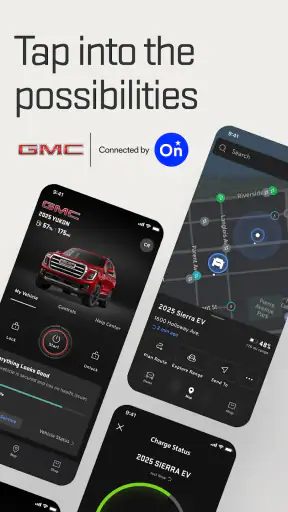
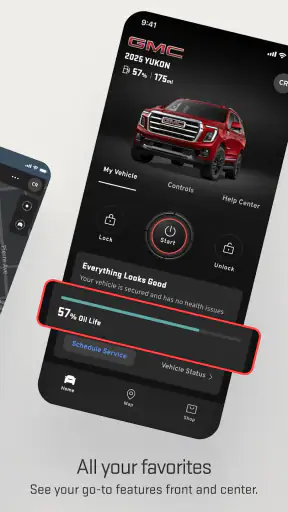
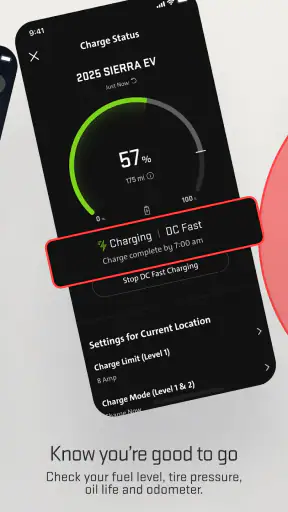
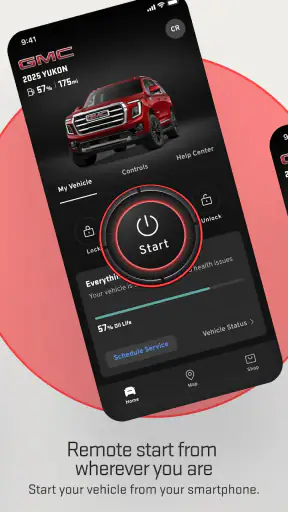
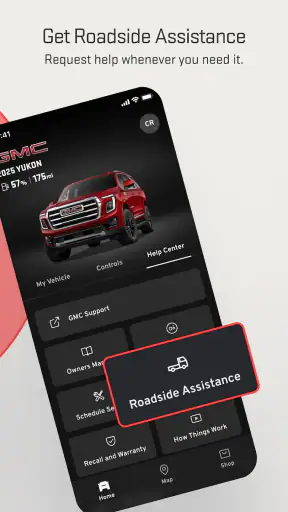
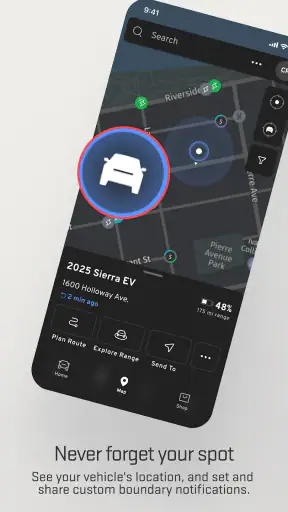
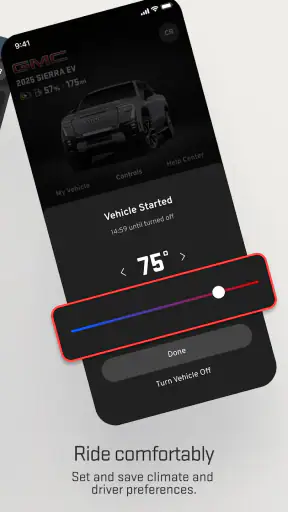
I approached myGMC as a practical ownership companion rather than another app I would open just to browse menus. Developed by General Motors, it sits in the lifestyle category and is built around the everyday relationship between a driver and a GMC vehicle. That focus matters: the app is most useful when it reduces small ownership tasks, keeps vehicle information in one place, and gives me a more organized way to check what is happening with my car.
The app is free and rated for Everyone, which makes it easy to consider for a household where more than one person uses the vehicle. It has been available since November 3, 2010, and the current version is 8.15.0, with an operating-system requirement of 10. That long presence also helps explain why the app feels like an established ownership tool rather than a temporary add-on. It has earned a 4.6 average from around 92 thousand ratings and passed one million installs, so there is clearly a sizeable audience using it for more than a single occasional check.
How I built a reliable everyday workflow
My first recommendation is to treat setup as part of the ownership routine. I would not install myGMC while standing in a parking lot trying to solve an immediate problem. It is better to open it when the vehicle is nearby, sign in carefully, and take time to make sure the right vehicle is associated with the account. A rushed setup can make an otherwise useful app feel confusing, especially if a household has more than one GMC vehicle or if a driver is switching between personal and shared use.
Once the initial connection is ready, I use the app as a central starting point before reaching for separate notes, browser searches, or a paper folder. The value is not that every ownership task disappears. The value is that vehicle-related information and actions are gathered around the vehicle itself. That gives me a repeatable habit: open the app, identify the vehicle, check the relevant information, and only then decide whether I need a dealership, the vehicle manual, or another service.
A realistic example is preparing for a longer drive. Instead of waiting until the morning of the trip, I would check the app a day earlier, review the vehicle information available to me, and confirm that I know where the relevant maintenance or support details are located. If something looks unclear, I still have time to investigate. This is a small change, but it prevents the common mistake of using a vehicle app only after a warning or problem has already created pressure.
I also found that the app makes more sense when I separate quick checks from deeper ownership tasks. A quick check is something I want to finish in seconds, such as looking for current vehicle information or confirming that I am working with the correct vehicle profile. A deeper task is one where I may need to read instructions, review service-related information, or contact the appropriate support channel. Mixing both types of activity makes the interface feel slower than it needs to be.
The most useful habit is to use myGMC before a problem becomes urgent. That means checking it periodically, not only when a dashboard light appears. An app cannot replace physical inspection, scheduled care, or professional diagnosis, but it can make the administrative side of ownership easier to manage. I would still rely on the vehicle’s own controls and the owner’s manual for information that must be read directly from the vehicle.
Setting up the app for a household vehicle
Shared vehicles deserve a little extra planning. If several people drive the same GMC, I would agree on one simple routine for account access and avoid making every driver change settings casually. The goal is to keep the vehicle information consistent and make sure the person using the app can tell which vehicle is active. This is especially important for families with multiple vehicles, where a quick glance at the wrong profile could lead to an unnecessary call or an incorrect assumption.
I would also decide who handles reminders and service-related follow-up. The app can help organize the ownership experience, but it does not automatically solve household communication. If one person sees an important update, that person should pass it on rather than assuming everyone else will open the app. In my experience, this human step is just as important as the software.
Settings worth checking before relying on it
The first settings I would review are notification controls. Useful alerts can become background noise if every message is allowed through, while overly restrictive settings can make the app less helpful. I prefer leaving on notifications that relate directly to vehicle activity or an action I genuinely need to take, then reducing anything that feels repetitive. The best configuration depends on how often I drive and how closely I already monitor the vehicle.
Account and vehicle details deserve the same attention. I would check that the displayed vehicle is the one I intend to manage and that the account information is current. This is not an exciting step, but it is one of the strongest ways to avoid friction later. When an app is connected to a real car, accuracy matters more than visual polish.
I would also review privacy and device permissions in the phone’s system settings rather than accepting everything without thought. A vehicle-management app may be more convenient with certain permissions, but I prefer understanding what I am enabling and why. If a feature does not work after I restrict a permission, I can decide whether the convenience is worth restoring it. That approach gives me more control than granting access automatically and forgetting about it.
Another worthwhile check is the app’s update status. The current release is 8.15.0, and keeping the application updated is sensible for compatibility and reliability. I would not update immediately before an important trip without opening the app afterward to confirm that my account and vehicle still appear as expected. The update itself may be routine, but a quick post-update check is a good ownership habit.
There is also a practical distinction between app settings and vehicle settings. Changing a preference in myGMC does not necessarily change what the vehicle itself does, and information shown in the app may not update at the exact moment something changes in the car. I treat the app as a convenient companion, not as a substitute for checking the vehicle directly when timing or safety matters.
Faster patterns that make repeat use easier
After setup, I stopped trying to explore every screen during every visit. Instead, I use a short sequence: open the app, confirm the vehicle, go directly to the task I came for, and close it when finished. This sounds obvious, but it prevents the app from becoming another place where I wander through information without completing anything.
A second useful pattern is grouping tasks around natural ownership moments. I might check the app when I am already thinking about fuel, maintenance, a trip, or a vehicle-related question. I do not need to create an elaborate schedule. The point is to connect app use to something that already happens, which makes the habit easier to maintain than a daily reminder that has no clear purpose.
For a busy driver, the best shortcut may simply be knowing which information belongs in myGMC and which does not. I use it for the digital side of managing a GMC vehicle. I would not use it as my only source for diagnosing a mechanical issue, verifying a physical condition, or deciding whether a vehicle is safe to drive. That boundary saves time because it prevents me from asking the app to answer a question it was not designed to settle.
When I am helping another driver, I also explain the workflow rather than just telling them to download the app. I show them how to identify the vehicle, where to look for the information they need, and when to stop using the app and consult the vehicle or a professional. This makes the tool more useful for less technical family members because they learn a process instead of being handed another password and a vague instruction.
One non-obvious advantage is that a consistent digital routine can reduce forgotten follow-up. If I use the app to notice a service-related item or an ownership task, I immediately decide what happens next: handle it now, note it elsewhere, or contact the appropriate person. I do not assume that viewing information counts as completing the task. The app helps me see the next step, but I still need to take it.
Where the app helps, and where it reaches its limits
myGMC is strongest for drivers who own or regularly use a GMC vehicle and want a manufacturer-specific place to manage ownership information. That specificity is its main advantage over a generic notes app, calendar, or vehicle-maintenance tracker. A generic tool may be better for logging expenses or building a maintenance history across different brands, but it will not be centered on the GMC ownership experience in the same way.
On the other hand, I would not choose it as my main tool if I drive several vehicle brands and want one neutral dashboard. A general automotive app may be more convenient for mixed households, especially when the main goal is fuel tracking, expense records, or maintenance planning across unrelated vehicles. myGMC makes more sense when the GMC vehicle is the center of the workflow.
The app also does not remove the need for dealership communication or professional service. If I need a physical repair, a detailed inspection, or an answer that depends on what a technician can see, I still need the appropriate real-world channel. The app can organize the ownership side of that process, but it cannot turn a phone into a diagnostic bay.
Another limitation is that convenience depends on connectivity, account access, and the accuracy of the information available to the app. If I am in a poor-signal area or cannot sign in, I would not want to depend on it for something urgent. For that reason, I keep essential vehicle knowledge available through the vehicle itself and do not treat the app as the only place where important information exists.
There can also be a learning curve for drivers who expect every screen to work like a simple remote control. The app is better understood as an ownership hub. Some actions are quick, while others require reading, confirmation, or a separate decision. Once I accepted that distinction, the experience became more predictable.
Who should use it and who should skip it
I would recommend myGMC to a GMC owner who wants a dedicated companion for regular vehicle management and prefers manufacturer-specific information over a collection of unrelated tools. It is particularly suitable for people who like having a repeatable routine, households that share a vehicle, and drivers who want to prepare for service or travel instead of reacting at the last minute.
I would be more cautious about recommending it to someone who rarely uses a smartphone for vehicle tasks, owns no GMC vehicle, or only wants a simple expense log. In those cases, the app may add another account and another place to check without solving the person’s main problem. A paper maintenance folder, a calendar, or a brand-neutral tracking app could be more direct.
New drivers should also know that the app is not a replacement for learning the vehicle. I would use it alongside the owner’s manual and the physical controls, especially during the first weeks of ownership. The app can help me find and organize information, but confidence still comes from understanding what the vehicle itself is telling me.
My verdict after making it part of ownership
After using myGMC as a structured ownership companion, I see its value in the small moments: checking the right vehicle, finding relevant information without searching through unrelated apps, and turning a vague reminder into a clear next step. It is not exciting in the way a social or entertainment app is, but that is not its job. Its success depends on whether it makes owning a GMC feel less scattered.
The free price removes the main barrier to trying it, and the Everyone rating makes it approachable for a broad range of drivers. The 4.6 average and large user base suggest that many people find the concept useful, although I would still judge it by how well it fits my specific vehicle and routine rather than by popularity alone.
My final advice is to install it with a purpose. Set up the correct vehicle, review notifications and permissions, learn the shortest path to the information you use most, and keep a clear boundary between digital ownership tasks and real mechanical decisions. Used that way, myGMC is a sensible, focused tool for GMC drivers who want fewer scattered ownership chores. If you need a universal vehicle tracker or a complete repair-management system, another option may suit you better; if your GMC vehicle is the center of your driving life, this app is worth keeping close.


